Paperless Home: Inspiration Clutter
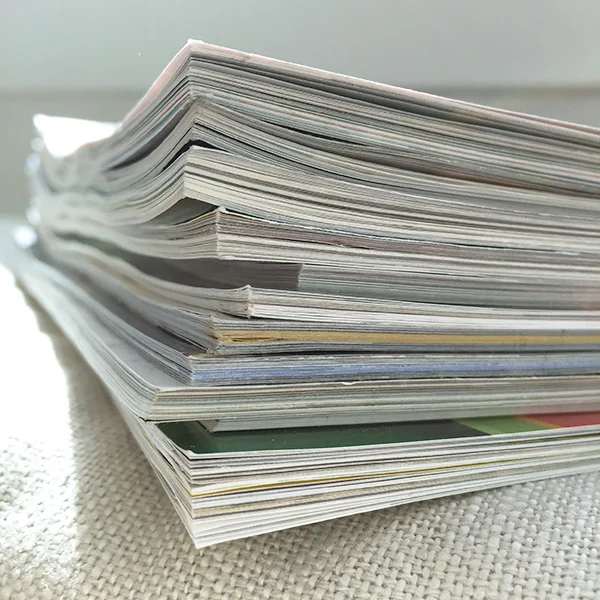
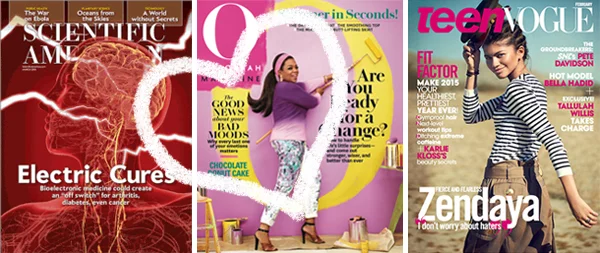
Now that we have a handle on incoming magazine and newspaper clutter, let's discuss those piles (both physical and digital) of inspiration and ideas that we all have lying around. We called them “tear sheets” in the advertising biz and they can be in the form of dog-eared magazines, newspaper clippings, or bookmarks and browser tabs online. (You know, the ones that make you afraid to restart your computer. ;) These items inspired us for a brief second and we want to save or deal with them... but later. That wanting to save them, but not knowing how or wanting to take the time, creates clutter.
I use a few great apps to help organize this “information for later”. I prefer storing everything digitally not only because I’m a paperless fan but also because this means the information is searchable, backed-up, and available anywhere. In addition to phone/tablet versions, these apps also all have Chrome extensions (plug-ins for my browser) so I can easily save anything that I find online. (This post focuses on digital clippings, but for a paper item you might be able to find it online, enter it manually or in some cases, take a photo using the app.)

(1. Evernote, 2. Amazon, 3. Asana, 4. Pocket, 5. Pinterest. + 1Password, we can discuss later)
5 TYPES OF INSPIRATION CLUTTER AND THE APPS TO DEAL WITH THEM:
1. To-Make: Evernote is a great tool to keep track of tutorials or recipes I find online. If I’m browsing and an idea strikes me as something I want to make, I select the text and photos worth saving and click the Evernote Web Clipper in my browser. I then give the note a title, select the notebook and any category tags I'd like to use and clip it to a folder in my Evernote account. It's even available on my phone!

If I have an idea on paper that I want to capture, Evernote is one the best apps for that. It has a great photo-to-scan interface: you just have to open the app on your phone, choose “Create a new note” with the camera icon, and hold the camera over the document. Simple!
2. To-Buy and Gift Ideas: Amazon Wishlist is not only a great tool to save items on Amazon that you’d like to buy, but it also has an extension so you can add an item from any website to your list. If I come across something online that I'd like to get in the future, I click the Amazon Wishlist icon and it will give me a window to name, describe, price and make notes on the item before selecting the list I’d like to add it to.

(If I spot a new Scotch that I might want to get Greg, I can add it to a Gift Idea list for him using the Amazon Wishlist clipper as well!)
3. To-Do: Asana is my favorite task manager and it’s most useful when I make sure to dump everything that I want/need to do into it. When I’m on a website that has an item I'd like to deal with (register for a class, ask Greg about a concert), I can click the Asana extension and I’ll get a window to add a task from the content on that page. It will then show up in Asana on my phone or in my browser!

Asana is my fave but there are plenty of other to-do apps out there. Even if you’re a paper to-do list person (my way for decades), make sure to just add the task and necessary details to your list instead of holding onto the paper or tab.
4. To-Read: Pocket is one of a number of apps for article-saving. I haven’t tried that many but it’s worked very well for me. If I’m on any page with an article I’d like to read later (like on the plane when I have more time), I can click the Pocket button and it will save the content to the app.
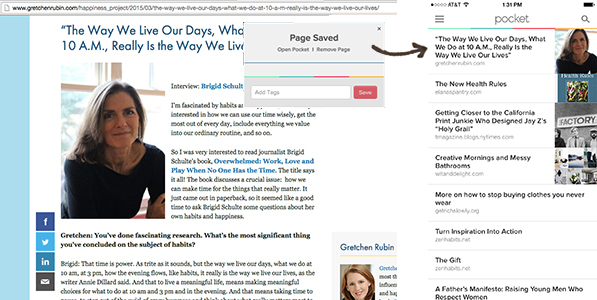
Then when I’m waiting around and looking for something to read, I can pop open the Pocket app on my phone or computer and all of my pre-selected articles are there, usually with ads stripped away. (For me, this is much preferred to Facebook strolling.) I rarely get to these articles but I know they’re there if I want them.
+ If I come across a blog post that I want to save for later, I sometimes keep it “unread” in my blog reader. If I come across a link or article that’s relevant to a project or future blog post, I add it to Asana in the notes section of that task.
5. To-Inspire: Pinterest came along well after my art direction career, my wedding and my first home renovation. Those would have been so much easier with it. I used to make mood-boards and have folders for all the images that inspired me or summarized a look I was going for... now anybody can do the same! If I come across an image I’d like to save for future reference, I “Pin It” using the Pinterest extension which allows me to add a description and select which board I’d like to add it to.

These apps make it a little easier to store an idea for later and a lot easier to remove inspiration clutter. As with any essentialism project, be realistic about your capacity with storing this stuff. Cull what you want to save, making sure that you really do have the intention of using it again in the near future. I hope some of these ideas will work for you. Let me know if you have any other favorites!
+ This is all based on my experience using an iPhone and Chrome as my web browser. If you don’t use Chrome yet (but use Safari or Internet Explorer), you should! Try it and I’ll explain why in another blog post ;)